
Workflow Automation Software Pricing Guide: What You Should Expect to Pay
Workflow automation quotes rarely match the final invoice. Per-user fees, onboarding charges, and integration add-ons often push the real cost well past the sticker price.
This guide breaks down the pricing models you will encounter, the hidden costs that inflate budgets, and how Tasks.Bot's per-member pricing and 3-month free trial compare to typical market rates. By the end, you will know which plan fits your team and what you should actually pay.
What Is Tasks.Bot? A WhatsApp-Native Workflow Automation Platform
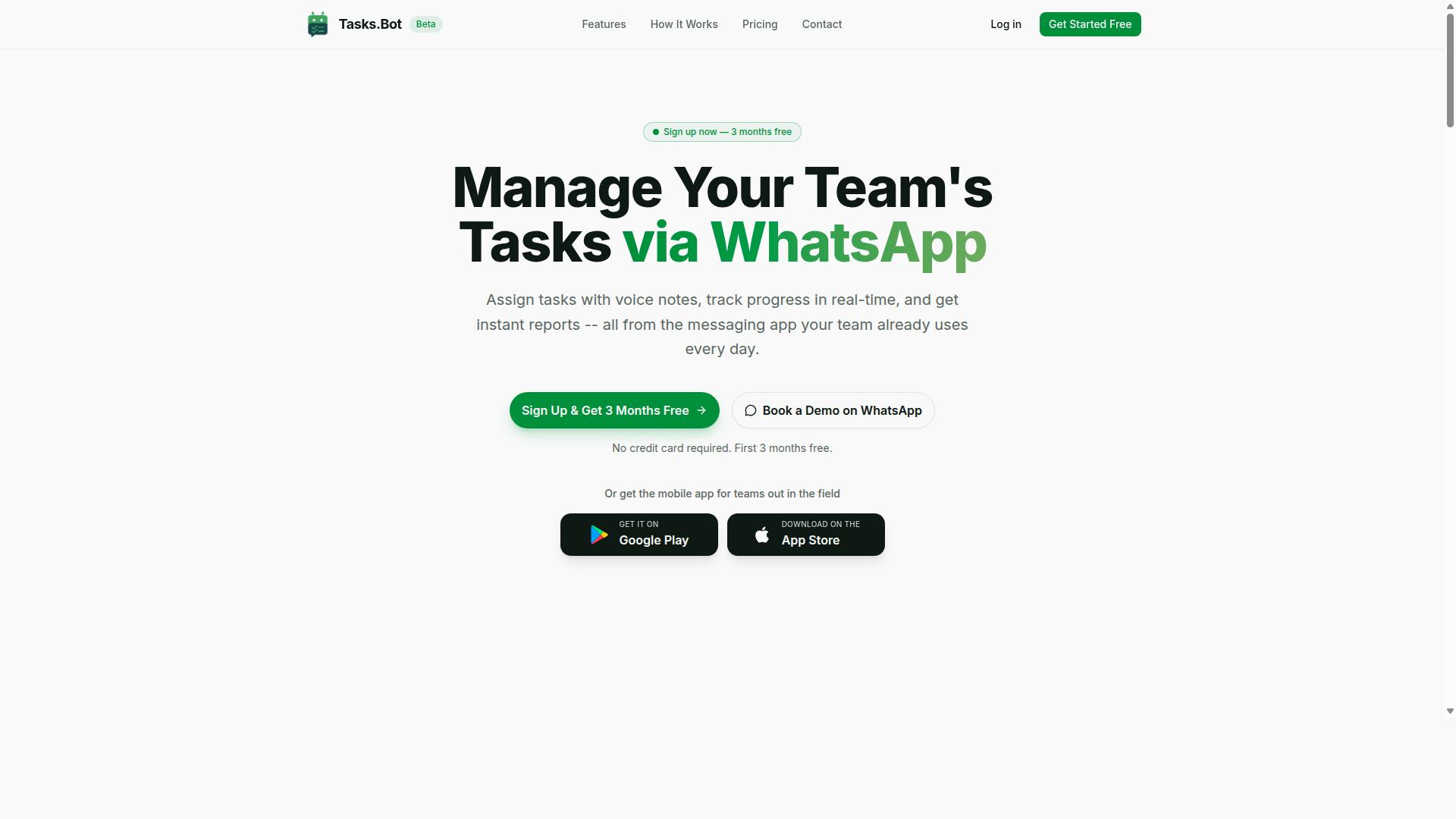
Tasks.Bot is a task management platform that operates entirely within WhatsApp, allowing teams to assign tasks, track progress, and receive reports without leaving the messaging app. It is a SaaS solution, meaning there is nothing to download onto a server and no IT project to manage. For teams already buried in notifications, that design choice matters more than any feature list.
Most workflow automation software asks every team member to create an account, learn a new interface, and remember to check yet another dashboard. Tasks.Bot removes that entire layer of friction by meeting people where they already are. There are no new app installations or account creations required for team members, which means adoption does not depend on training sessions or gentle reminders to log in.
The platform also offers a mobile app for field teams, so workers who are not sitting at a desk can still participate in the same workflow. Everyone works from one shared process, whether they are in an office or on the move.
Tasks.Bot is available globally and is currently in beta, with hundreds of teams already using it. It also offers a free trial period, which is worth noting in a pricing guide. A trial lets a team confirm that a WhatsApp-based workflow fits how they actually operate before any subscription cost enters the picture.
For buyers comparing workflow automation software, the pricing question usually comes down to seats, tiers, and add-ons. Tasks.Bot's approach sidesteps one of the most common cost drivers: the adoption tax. When a tool requires no new accounts for team members, you spend less on onboarding, training, and the slow rollout that eats into the value of any subscription. That is a practical reason to weigh it against platforms that charge per seat for users who may never log in.
The core idea is simple. A task is assigned, progress is tracked, and reports come back, all inside a messaging app that most teams already have open. Leveraging WhatsApp for workflow automation turns a communication channel into a lightweight operations hub. For small and mid-sized teams weighing subscription models, that native fit is the defining characteristic of the platform.
What You Should Expect to Pay for Workflow Automation Software
Understanding the pricing landscape for workflow automation software is essential for budgeting and comparing options effectively. The sticker price you see on a vendor's website is rarely the full amount you will pay over a year.
Most platforms advertise an entry-level plan that looks affordable, then charge more as your team grows or your usage increases. Others bundle everything into a single number but limit the features that matter most.
Before signing a contract, it helps to know the common subscription models and the hidden fees that tend to appear later. Buyers who map out both the base cost and the extras usually negotiate better terms and avoid surprise invoices.
The sections below break down the main pricing structures, the add-on charges that inflate real-world spend, and how to plan for the total cost of ownership.
Typical Pricing Models: Per-User, Per-Workspace, and Flat-Rate
Workflow automation software generally follows one of several pricing models: per-user, per-workspace, flat-rate, tiered, usage-based, feature-based, or quote-based. Each model shifts risk and cost in a different direction.
Per-user pricing charges a set fee for each team member who needs access. It works well for small teams but becomes expensive as headcount grows, and it can discourage you from giving occasional users a login.
Per-workspace pricing bills by workspace, project, or team rather than by individual. This suits departments that share a single environment, though costs can climb when you create many separate workspaces.
Flat-rate pricing is a single price for unlimited users. It offers predictable budgeting and encourages company-wide adoption, but the monthly fee is often higher than a per-user entry plan.
Tiered pricing escalates features and limits at higher price points, moving from an entry-level plan to a professional plan and then an enterprise plan. Usage-based pricing charges by consumption, such as tasks run or records processed, which can be efficient at low volume but unpredictable at scale.
- Feature-based pricing: you pay for specific capabilities, such as advanced reporting or approvals
- Quote-based pricing: custom pricing that requires a sales conversation, common for enterprise buyers
- Freemium and free trial: limited access at no cost, useful for testing fit before committing
Annual billing usually lowers the effective monthly rate compared with monthly billing, but it locks you into longer contract terms. Check the cancellation policy carefully, since early exit can forfeit prepaid amounts.
The Hidden Costs That Inflate Real-World Pricing
Beyond the headline price, workflow automation software often comes with hidden costs that can significantly increase your total spend. These extras are rarely shown on the pricing page.
Implementation and setup fees cover configuration, data migration, and connecting your existing systems. Onboarding and training charges may apply when staff need guided sessions to learn the platform.
Ongoing expenses add up too. Premium support, maintenance fees, and paid upgrades can each carry a separate line item, and scaling costs appear as you add user seats or storage.
- Overage charges for exceeding task, record, or automation limits
- API access fees for higher call volumes or advanced endpoints
- Integration costs for connecting third-party tools or building custom connectors
- Add-on modules for analytics, compliance, or specialized workflows
- Storage limits that require a paid upgrade once files accumulate
Individually these items look small. Together they can add a meaningful percentage to the base subscription, sometimes pushing real-world spend well above the advertised rate.
To control this, ask vendors for a written breakdown of setup, training, support, and scaling charges before you commit. A free trial helps you test usage limits early, and a clear contract term review protects you from renewal surprises.
Tasks.Bot Pricing: What You Actually Pay
Tasks.Bot offers a straightforward pricing structure with a single 'Full Access' plan that includes all features. There are no confusing tiers to compare, no feature gates to decode, and no separate modules to purchase later.
That single-plan approach stands out in a market where workflow automation software often splits capabilities across an entry-level plan, a professional plan, and an enterprise plan. Each tier usually unlocks more features, which means buyers must guess in advance which capabilities they will eventually need. Tasks.Bot removes that guesswork entirely.
Pricing is available in Indian Rupees (₹) and US Dollars ($). The site presents a currency selector with options for Indian Rupee and US Dollar, so teams should confirm which currency applies to their account before budgeting.
The sections below break down the two billing options, monthly and annual, along with the free trial, and explain how per-member pricing keeps costs predictable as a team grows or shrinks.
Monthly vs. Annual Plans and the 3-Month Free Trial
Tasks.Bot offers both monthly and annual billing options, along with a 3-month free trial for new users. The monthly plan costs ₹200 per member per month. The annual plan costs ₹1,200 per year per member, which works out to ₹100 per month.
Choosing annual billing saves 50% compared with paying month to month. On a per-member basis, that is ₹1,200 saved per year for every seat on the plan.
The trial runs for three months and requires no credit card. Teams can cancel anytime, which means a group can test the platform with real workflows before committing any budget.
- Monthly billing: ₹200 per member per month, flexible and easy to stop
- Annual billing: ₹1,200 per year per member, equal to ₹100 per month and a 50% saving
- Free trial: 3 months, no credit card required, cancel anytime
For a ten-person team, the difference is significant. Monthly billing would run ₹2,000 per month, while annual billing brings the effective rate down to ₹1,000 per month. Over a year, that is a meaningful gap for the same Full Access plan.
The extended trial also matters because workflow automation software is only as useful as the processes built inside it. Three months gives a team enough time to set up real automations, invite members, and judge whether the platform fits how they work. Because no card is required, there is no risk of an accidental charge during evaluation.
Why Per-Member Pricing Keeps Costs Predictable
Tasks.Bot's per-member pricing model ensures that costs scale linearly with team size, making budgeting straightforward. You pay for the members on your plan, and the rate stays the same whether a person automates one workflow or dozens.
There are no hidden fees for features or usage. Everything sits inside the Full Access plan, so nobody has to track which capabilities are unlocked or whether a task has crossed some invisible threshold.
This contrasts with models that charge extra for add-on modules, meter usage, or bill for overages once a limit is passed. Those structures can make a monthly invoice hard to forecast, especially for teams whose workload fluctuates. Feature-based pricing and usage-based pricing both put the burden of prediction on the buyer.
Per-member pricing flips that. Adding a teammate adds one predictable line item. Removing one subtracts it. As a team scales, scaling costs stay visible and easy to explain to whoever approves the budget.
It also simplifies comparison shopping. When evaluating workflow automation software, a pricing guide should prompt buyers to ask what happens at the edges: what a new seat costs, what an integration adds, what an overage triggers. With Tasks.Bot, the answer is the same in every case, because the plan is the same for everyone.
For growing teams, that predictability is often worth as much as the headline rate itself.
Key Features Included at Tasks.Bot's Price Point
Tasks.Bot's 'Full Access' plan includes a comprehensive set of features designed for teams that communicate via WhatsApp. Unlike many workflow automation tools that split capabilities across an entry-level plan, a professional plan, and a custom-priced enterprise plan, Tasks.Bot takes a different route. There are no tiers and no feature restrictions. One subscription unlocks the complete platform.
This matters for anyone building a pricing guide comparison. Tiered pricing and feature-based pricing often mean the tools a team actually needs, such as reporting or attendance tracking, sit behind an upgrade wall. With a flat-rate approach, budgeting becomes simpler because the cost does not change every time a new capability is switched on.
Tasks.Bot is a task management platform built natively around WhatsApp. It also provides Android and iOS apps with push notifications, voice capture, and a home screen widget, so teams can work from the channel they already use. The core capabilities fall into two groups: task and automation features, and workforce features for teams in the field. Both are covered under the same plan.
Understanding what is included helps readers judge value rather than just headline price. The subsections below break down the two feature clusters that define the plan.
Voice Note Task Creation, Automations, and Instant Reports
Tasks.Bot leverages AI to enable task creation via voice notes and natural language, along with powerful automations and instant reporting. Instead of typing out a task in a separate app, a user can simply send a voice note through WhatsApp and let the system handle the rest.
The AI is designed to understand user intent and create tasks from messages. That means the platform interprets what was said rather than requiring a rigid command format. From there, several supporting features come into play:
- Automatic task assignment so work reaches the right person without manual routing
- Smart deadline reminders to keep items from slipping past due dates
- Approvals and automations for the checkpoints that usually slow a process down
- Instant reports that give visibility into what is happening across the team
- Tasks on a map and a live day tracker for location-aware and time-aware work
These are the kinds of capabilities that often appear as add-on modules or higher-tier unlocks in other workflow automation software. Here they are included at no extra cost. For a team weighing subscription models, that removes a common source of upgrade costs and hidden fees as usage grows.
The practical benefit is speed. Voice capture lowers the effort of logging work, and automation reduces the manual follow-up that eats into a day. Reporting then closes the loop by showing whether tasks actually moved.
Face-Verified Attendance, GPS Tracking, and Payroll-Ready Hours
For teams with field staff, Tasks.Bot includes face-verified attendance, GPS tracking, and payroll-ready hours, all within the WhatsApp interface. These features address a problem that generic task tools rarely touch: proving who was where, and when.
Face verification adds a layer of identity confirmation to attendance, while GPS tracking records location alongside it. Together they support accountability for distributed teams that are not sitting at a single office desk. The system then produces payroll-ready hours, which means attendance data feeds directly into the hours a payroll process needs.
The plan also covers shifts, leave, and hours management. For operations managers, this consolidates several tools into one. Rather than paying separately for an attendance app, a location tracker, and a timekeeping system, a single subscription covers the ground.
This is where the flat-rate structure pays off most clearly. Workforce features like these are frequently the ones pushed into a custom pricing quote or a higher enterprise plan. With Tasks.Bot, they sit inside the standard plan alongside the task and automation features described above.
For a reader comparing scaling costs, the takeaway is straightforward. Adding field staff does not trigger a new module fee or a feature unlock. The same plan continues to cover attendance, tracking, and hours as the team grows, which keeps the overall cost predictable from month to month.
How Tasks.Bot's Pricing Compares to Typical Market Rates
Tasks.Bot's pricing is competitive when compared to typical workflow automation software, especially considering its all-inclusive feature set. The platform offers a single 'Full Access' plan with every feature included, rather than splitting capabilities across multiple paid tiers.
That structure matters because most workflow automation tools in the market rely on tiered pricing, where the entry-level plan looks affordable but the features you actually need sit one or two levels higher. Tasks.Bot removes that decision entirely.
Pricing is available in Indian Rupees and US Dollars, and the site includes a 'Select currency' option with both Indian Rupee and US Dollar choices, so buyers should verify which currency applies to their account before subscribing.
Here is how the two plans break down:
- Monthly plan: ₹200 per member per month
- Annual plan: ₹1,200 per year per member, which saves 50% and saves ₹1,200 per year per member compared with paying monthly
New users also get 3 months free, with no credit card required and the ability to cancel anytime. That free period functions as a genuine free trial without the payment details most vendors ask for upfront.
For context, many workflow automation platforms charge somewhere in the range of $10 to $30 per user per month for comparable functionality. Those figures are general market observations rather than a specific competitor quote, and actual rates vary widely by vendor and plan.
The bigger difference is what sits outside the base price. Competitors often treat advanced capabilities as add-on modules or higher-tier unlocks, which pushes the real monthly cost well above the advertised figure. Tasks.Bot's Full Access plan avoids that pattern by bundling everything into one price.
Consider how the common three-tier structure typically plays out:
| Tier | Typical Market Pattern | Tasks.Bot Equivalent |
|---|---|---|
| Entry-level plan | Low per-user rate, limited features, storage caps | Full Access, all features included |
| Professional plan | Mid-tier price, unlocks advanced features | No separate tier needed |
| Enterprise plan | Custom pricing, quote-based, sales call required | Same flat plan for every member |
Under per-user pricing, costs scale linearly as you add user seats. A ten-person team on a $20 per user monthly plan pays roughly $200 each month, before any add-ons. Tasks.Bot's ₹200 per member monthly rate follows the same per-member logic but at a materially lower headline figure.
The annual option changes the math further. At ₹1,200 per year per member, the effective monthly outlay drops by half, which is the kind of annual billing discount many vendors reserve for their highest tiers.
It is also worth noting what Tasks.Bot does not appear to layer on. There are no listed implementation fees, setup costs, or onboarding charges in the published plan details, and no separate API access fees or integration costs are mentioned. Buyers comparing quotes should always ask vendors about these line items directly, since they are a common source of hidden fees and overage charges across the category.
Contract terms are similarly straightforward. The ability to cancel anytime contrasts with annual lock-ins that some platforms enforce, and the absence of a credit card requirement during the free period lowers the risk of evaluating the tool.
For teams weighing scaling costs, the flat all-inclusive approach is easier to forecast. Adding members increases spend predictably, without the surprise of an upgrade cost triggered by hitting a storage limit or needing a feature that was gated behind a higher tier.
On balance, Tasks.Bot's pricing sits comfortably at the value end of the market. The combination of one plan, all features, a three-month free start, and a 50% annual saving makes it a straightforward option for teams that want predictable spend rather than a stack of add-on invoices.
Who Gets the Most Value From Tasks.Bot
Tasks.Bot is ideal for teams that already use WhatsApp for communication, particularly those with field staff who need task management, attendance tracking, and payroll-ready hours. Instead of forcing workers to learn a new platform, it meets them inside an app they already open every day.
That makes the product a natural fit for a few clear groups. The sections below explain why each one tends to see strong returns from a per-member subscription model, and how that structure keeps costs predictable as a team grows or shrinks.
Tasks.Bot serves hundreds of teams already, which suggests the approach works across a range of industries and company sizes. The value case is strongest where communication and operations already happen on WhatsApp.
Field and remote teams are the clearest fit. Staff who work on-site, on the road, or across multiple locations rarely sit at a desk with a laptop open. Tasks.Bot reaches them through WhatsApp and mobile apps instead, so task assignments and updates happen where the work happens.
For these teams, attendance tracking matters as much as task management. Tasks.Bot supports attendance tracking and payroll-ready hours, which means supervisors spend less time chasing timesheets and reconciling records at the end of a pay period.
Small and medium businesses also benefit because they often lack dedicated operations software budgets. A per-member pricing model lets a business start with the people who need access and add seats later, rather than paying for unused licenses up front.
Larger teams get the same advantage in reverse. When headcount changes, the subscription can scale up or down to match, which keeps scaling costs tied to actual usage rather than a fixed annual commitment. This is one of the practical reasons per-user pricing appears so often in workflow automation software.
Teams that need attendance and payroll features together get the most concentrated value. Payroll-ready hours reduce manual data entry, and fewer handoffs mean fewer chances for errors to creep into pay calculations.
Accessibility matters here too. Tasks.Bot is global and works through WhatsApp and mobile apps, so a distributed team does not need identical hardware or a shared office network to stay coordinated. That lowers the practical barrier to adoption.
When evaluating any workflow automation software, weigh the subscription model against how your team actually works. A tool that fits existing habits usually delivers faster adoption and a clearer return than one that demands a new workflow from day one.
Final Verdict: Is Tasks.Bot Worth the Price?
Tasks.Bot offers a compelling value proposition with its all-inclusive pricing, WhatsApp-native approach, and 3-month free trial. For teams weighing workflow automation software costs, the question is rarely whether automation pays off. It is whether the pricing model stays predictable as the team grows.
Tasks.Bot answers that question with predictable per-member pricing. Instead of juggling tiered pricing, feature-based pricing, or usage-based pricing that can spike with every busy month, teams pay based on the people who use the platform. That structure makes budgeting straightforward and removes the worry of overage charges or surprise API access fees.
Cost predictability matters because most automation budgets fail in the details. Setup costs, onboarding charges, training costs, and maintenance fees add up quickly under many subscription models. Tasks.Bot bundles its capabilities into one plan rather than selling add-on modules, so the price a team sees is the price it plans around.
The WhatsApp-native design also changes the cost equation in a practical way. Teams already work in WhatsApp, so adoption tends to be fast and training overhead stays low. Software that people actually use delivers more value per rupee than a cheaper tool that sits idle.
Two features reduce the risk of committing:
- 3-month free trial: enough time to test the platform against real workflows before any payment
- Refund policy: a safety net if the fit is not right after subscribing
Together, these make the decision low-risk. A free trial removes the guesswork that comes with demo-only evaluations, and a refund policy protects against the wrong choice. Few pricing guides mention how much these two elements matter, but they often decide whether a team ever gets started.
Compared with typical workflow automation pricing, Tasks.Bot avoids several common cost traps. There are no separate support fees layered on top of the subscription, and no contract terms that lock a team into an annual billing commitment before it has seen results. The per-member model also scales cleanly. Adding user seats costs what the plan says it costs, whether a team has five people or fifty.
For teams that fit the target audience, the verdict is clear. If your work already runs through WhatsApp and you want automation without a maze of pricing tiers, Tasks.Bot is worth the price. The all-inclusive plan, predictable per-member cost, and free trial period combine to make it a sensible, low-risk choice. Research consistently suggests that teams get the most from automation tools they adopt quickly, and a WhatsApp-native platform removes the biggest barrier to adoption.
Getting started is simple. Reach the team by phone at +91 97143 42522 or by email at [email protected]. You can also book a demo on WhatsApp to see the platform in action before committing. For anyone comparing workflow automation software pricing and wondering where the real value sits, Tasks.Bot makes the answer easy to find.
Frequently Asked Questions
How much does Tasks.Bot cost compared to other workflow automation tools?
Tasks.Bot keeps pricing simple with a single 'Full Access' plan that includes all features. It costs ₹200 per member per month, or ₹1,200 per year per member on the annual plan - a 50% saving. Pricing is available in both Indian Rupees and US Dollars, so you can choose the currency that suits you.
Is there a free trial or a free plan?
Tasks.Bot currently offers one 'Full Access' plan rather than a separate free tier, and the service is still in beta. Because everything is included in that single plan, you're not paying extra to unlock individual features. For the latest on trials and onboarding, reach out via [email protected] or +91 97143 42522.
Do I pay per team member, and what happens as my team grows?
Yes - Tasks.Bot pricing is per member, per month or per year, so your cost scales directly with your team size. The annual plan works out 50% cheaper per member than paying monthly. If you have field staff who join seasonally, this per-member model makes it easy to see exactly what each additional person costs.
Why do some automation platforms charge so much more than others?
Automation software pricing usually varies based on the number of users, the volume of tasks or workflows run, and how many premium features are gated behind higher tiers. Platforms built for large enterprises often bundle in complexity that smaller teams never use. Tasks.Bot takes the opposite approach: one plan, all features included, priced per member.
Does Tasks.Bot charge extra for features like voice notes, reports, or attendance?
No. The 'Full Access' plan includes all features - voice note task creation, automatic task assignment, smart deadline reminders, approvals and automations, instant reports, tasks on a map, and face-verified attendance. There are no add-on charges to worry about. You pay the per-member rate and get the complete platform.
How do I get an exact quote or see the software before paying?
The easiest way is to book a demo on WhatsApp directly through the Tasks.Bot website, or contact the team at [email protected] or +91 97143 42522. Tasks.Bot is a SaaS product available worldwide, so you can get started from anywhere with WhatsApp. A refund policy is also listed in the site footer if you'd like to review the terms first.
Recommended Resources: